01
Works from memory
Mystcore attaches to Minecraft after the game starts and works from inside its memory. Your installation is never modified, so the things a scan looks for simply aren't there.
Mystcore isn't a mod. It runs from memory and never touches your files, so a screenshare finds nothing. You get smooth, human-looking combat and a full in-game menu.
Stealth
Screenshare tools hunt for mods: files in your folder, edited game files, anything bolted onto the game. Mystcore is none of that. It runs from memory and never touches your files, so when staff run their checks, everything comes back clean.
Modules
Combat modules react in step with the game itself; visuals draw on their own layer above it; player modules keep your hands out of the hotbar; client modules make Mystcore yours and make it disappear. Pick a module to see what it does.
ClickGUI
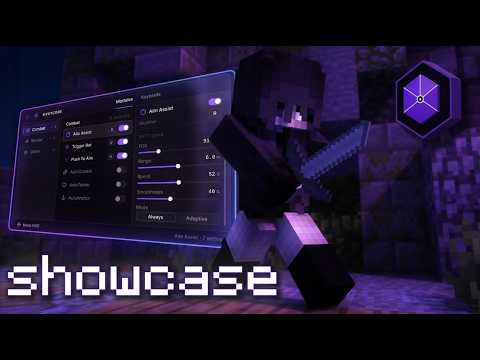
Every module and setting mirrors the in-game menu one to one. Drag the window, flip modules on, tune the inspector. In-game you open it with Insert — try it right here.
 Mystcore Mystcore
ModulesKeybinds
0 active
Mystcore Mystcore
ModulesKeybinds
0 active
Select a module to tune it
Showcase
Watch Mystcore run in real gameplay: raw footage, straight from the client.
How it works
Mystcore never changes your game files. It attaches to Minecraft while the game is running and works from memory. Works on every Minecraft version from 1.21 to 26.2.
Mystcore attaches to Minecraft after the game starts and works from inside its memory. Your installation is never modified, so the things a scan looks for simply aren't there.
Nothing lands in your mods folder and your game files stay untouched. There's nothing to install into Minecraft and nothing left behind on your disk.
The menu, ESP and Chams draw on a separate layer that sits on top of the game. Minecraft's own graphics are never touched, so your FPS stays exactly where it was.
Mystcore can be launched through a custom stager, unique for every user. Each build is different, so no two users ever look the same.
A staff screenshare comes up clean. Nothing extra on screen, nothing in your files, nothing readable in memory, just the game you were playing.
Hit Self Destruct and everything is removed at once. Your controls return to normal, the menu vanishes and the game keeps running as if nothing was ever there.
Download
One free build for every version from Minecraft 1.21 through 26.2. Download it, drop it into your mods folder, play.
Run the Fabric installer for any Minecraft version from 1.21 to 26.2.
Hit Free Download. One .jar covers every version from 1.21 to 26.2.
Move the file into %appdata%\.minecraft\mods. Create the folder if it doesn't exist yet.
Start Minecraft with the Fabric profile and press Insert in game to open the ClickGUI.
Grab the free download and be in game in minutes. One build for Minecraft 1.21 to 26.2.